
Cov khoom zais cia
-

Taw qhia peb qhov kev tso saib LED xauj tsev tshiab
Qhia txog peb qhov kev hloov pauv LED xauj zaub, qhov kev daws teeb meem zoo tshaj plaws rau txhua yam koj xav tau kev tshwm sim thiab kev tshaj tawm. Lub monitor tshiab no muaj qhov ci ntsa iab tsis sib xws, xim ci ntsa iab thiab kev ua haujlwm zoo, ua rau nws zoo meej rau kev siv sab hauv tsev thiab sab nraum zoov.
Nrog cov thev naus laus zis siab heev, peb cov LED tso saib xa cov duab zoo tshaj plaws, ua kom koj cov ntsiab lus yeej ib txwm meej, meej thiab ntxim nyiam. Txawm koj tso saib kev tshaj tawm, nthuav qhia cov lus tseem ceeb, lossis nthuav qhia cov duab zoo nkauj, qhov kev nthuav qhia no yuav ua rau koj cov neeg tuaj saib xav tsis thoob thiab tawm hauv qhov kev xav ntev.. -

RGB Takeway LED Zaub Rau Sab Nraum Zoov Tshaj Tawm Media
1. Kev pab them nqi siab:Nrog cov neeg ua haujlwm nqa khoom coob heev thiab cov kev mus los tsis tu ncua, lawv feem ntau thauj mus los ntawm cov cheeb tsam lag luam loj, thaj chaw nyob, chaw nres tsheb thiab lwm qhov chaw muaj neeg coob coob, nrog rau cov sijhawm tshaj tawm ntau zaus.
2. Cov Neeg Mloog Ncaj Qha:Cov neeg uas ntsib cov neeg ua haujlwm nqa zaub mov txhua hnub, lossis cov neeg hauv lub tsheb, feem ntau yuav ntsib cov lus tshaj tawm.
3. Kev txav mus los siab:Cov neeg ua haujlwm nqa mus tsev feem ntau txav tau yooj yim, tsis raug kev txwv ntawm thaj chaw, thiab tuaj yeem mus txog txhua lub ces kaum ntawm lub nroog, nrog ntau yam kev cuam tshuam kev tshaj tawm, lub sijhawm tshaj tawm thiab txoj kev tsis txwv, thiab xa cov ntaub ntawv txhua lub sijhawm thiab txhua qhov chaw.
4. Xov xwm tshiab:Tus cwj pwm tshwj xeeb ntawm "ua raws li cov neeg ntws" ntawm pawg neeg nqa khoom noj ua rau kev tshaj tawm LED ntawm lub thawv nqa khoom noj kom nyiam cov xim ntawm tag nrho lub khw thiab muaj tus nqi sib txuas lus siab dua thiab muaj kev cuam tshuam.
-

Tsheb Npav Sab Qhov Rai LED Tshaj Tawm Cov Ntxaij
Cov ntxaij vab tshaus LED tshaj tawm ntawm qhov rais ntawm sab tsheb npav muaj ntau yam zoo rau cov lag luam uas tab tom nrhiav txoj hauv kev zoo thiab txaus nyiam los ncav cuag lawv cov neeg tuaj saib. Lub peev xwm los ncav cuag ntau haiv neeg, pom kev zoo, kev ywj pheej ntawm cov ntsiab lus, kev siv nyiaj tsim nyog, thiab kev cuam tshuam zoo rau ib puag ncig ua rau cov ntxaij vab tshaus no muaj zog tshaj tawm. Raws li thev naus laus zis nce qib, nws tsis yog qhov xav tsis thoob uas ntau lub lag luam xaiv cov ntxaij vab tshaus LED los tshaj tawm lawv cov khoom thiab cov kev pabcuam ntawm cov tsheb npav. Thaum peb txav mus rau pem hauv ntej hauv lub hnub nyoog digital, cov ntxaij vab tshaus LED tshaj tawm yuav txuas ntxiv mus hloov pauv, hloov pauv txoj hauv kev uas cov lag luam txuas nrog cov neeg siv khoom.
-

Tsheb tavxij Sab saum toj / Ru tsev LED Screen High Brightness LED Tsheb tavxij Sab saum toj Advertising
Qhia txog 3UVIEW taxi sab saum toj ob sab screen hom B - qhov kev daws teeb meem zoo tshaj plaws rau kev tshaj tawm mobile taxi sab nraum zoov. Cov khoom tshiab no yog tsim los ua kom tau raws li cov kev xav tau ntawm cov neeg ua haujlwm tshaj tawm taxi. Lub 3UVIEW taxi LED advertising screen muaj ntau yam nta, ua rau nws yog cov khoom nyiam rau txhua qhov kev tshaj tawm taxi niaj hnub.
3UVIEW lub ru tsev tsheb tavxij ob sab screen hom B yog qhov nyiam ntawm cov neeg siv khoom thoob plaws ntiaj teb, thiab rau qhov laj thawj zoo. Nws cov qauv tsim niaj hnub thiab zoo nkauj ua ke nrog cov zaub zoo ua rau nws yog lub cuab yeej muaj zog rau kev tshaj tawm thiab kev sib txuas lus. Nrog nws cov vijtsam ob sab, cov ntsiab lus tshaj tawm tuaj yeem pom tau yooj yim los ntawm txhua lub kaum sab xis, kom ntseeg tau tias pom tseeb tshaj plaws thiab cuam tshuam ntawm cov lus tshaj tawm.
Ib qho ntawm cov yam ntxwv tseem ceeb ntawm 3UVIEW Taxi Dome Light Double Sided Screen Type B yog nws qhov kev ua tau ntau yam. Nws tuaj yeem tso saib ntau yam ntsiab lus, suav nrog kev tshaj tawm, kev txhawb nqa, xov xwm, hloov tshiab huab cua, thiab ntau ntxiv. Qhov no txhais tau tias cov neeg tsav tsheb tavxij tuaj yeem ua kom tau nyiaj ntau tshaj plaws thaum muab cov ntaub ntawv tseem ceeb rau cov neeg caij tsheb thoob plaws lawv txoj kev taug kev. -

LED sab nraum zoov lub teeb ncej tshaj tawm screen
Cov ncej teeb ntse, siv cov thev naus laus zis xws li LoRa, ZigBee, kev tswj cov yeeb yaj kiab, thiab Internet of Things, teeb tsa ntau yam khoom siv thiab cov sensors ntawm qhov kawg pem hauv ntej kom sau cov ntaub ntawv thiab tswj hwm txhua lub cuab yeej ntse ntawm qhov kawg pem hauv ntej, thiab xa cov ntaub ntawv mus rau backend ntawm lub server los ntawm lub network. Nws tau ua tiav thiab koom ua ke rau hauv ntau lub tshuab tswj hwm ntse, uas yog, ntawm lub hauv paus ntawm cov haujlwm teeb pom kev zoo, nws koom ua ke WIFI, kev saib xyuas video, kev tshaj tawm pej xeem, cov chaw them hluav taws xob tsheb, 4G chaw nres tsheb, cov ntxaij vab tshaus teeb, kev saib xyuas ib puag ncig, ib lub tswb ceeb toom thiab ntau lwm yam haujlwm.
-

Led conferencing tshuab txhua yam hauv ib lub tshuab
Cov tshuab sib tham uas siv LED screen tau hloov pauv txoj kev sib tham thiab kev sib tham. Cov khoom siv siab heev no muab ntau yam ntxwv thiab thev naus laus zis los muab kev sib tham zoo. Txij li cov zaub siab txhais mus rau cov haujlwm sib tham, cov tshuab sib tham uas siv LED screen muaj ntau yam zoo rau cov lag luam thiab cov koom haum.
Ib qho ntawm cov txiaj ntsig tseem ceeb ntawm cov tshuab LED screen conference all-in-one yog lawv qhov zoo tshaj plaws. Nruab nrog cov ntxaij vab tshaus LED, cov tshuab no xa cov xim ci ntsa iab, cov duab ntse, thiab qhov sib piv zoo heev, ua kom ntseeg tau tias txhua qhov kev nthuav qhia lossis video tau tso tawm nrog qhov pom tseeb tshaj plaws. Qhov kev paub pom zoo no koom nrog cov neeg koom nrog thiab ua rau lawv nkag siab tag nrho thiab nqus cov ntaub ntawv uas tau nthuav tawm.
-

HD puv xim LED pem teb tshaj tawm screen
Lub tshuab tshaj tawm LED 3UVIEW yog qhov zoo thiab ruaj khov, nrog cov ntxaij vab tshaus zoo nkauj, thiab tuaj yeem ua si ntau yam ntaub ntawv xws li duab, yeeb yaj kiab, thiab suab. Lub tshuab tshaj tawm LED no muaj cov haujlwm ntawm lub vijtsam siab, lub vijtsam sib cais ntse, lub sijhawm hloov pauv, kev tswj chaw taws teeb thiab lub vijtsam ua si. Lub cev yooj yim thiab ultra-nyias, zoo nkauj thiab yooj yim, huab cua zoo, qauv yooj yim thiab siv tau yooj yim. Nrog IP ywj pheej, nws tuaj yeem tswj tau meej thiab txhim kho kev ua haujlwm zoo. Siv dav hauv cov cheeb tsam ua lag luam loj thiab ntau lub tshav dav hlau, chaw nres tsheb, tsev so, khw noj mov, khw loj, xinesmas, tsev txhab nyiaj, tsev kho mob, kab tshoob, khw muag khoom kim heev, khw muag khoom loj thiab lwm qhov chaw.
-

OLED pob tshab sawv ntsug hauv pem teb L55-nti hom
Qhia Txog Qhov Tshiab OLED Clear Floor Standing L55″ Model! Qhov kev tso saib tshiab no muab cov thev naus laus zis tshiab nrog cov duab zoo nkauj los coj koj cov ntsiab lus mus rau lub neej zoo li tsis tau muaj dua li. Nrog nws cov qauv tsim zoo nkauj thiab cov yam ntxwv siab heev, nws zoo tagnrho rau cov chaw lag luam, cov chaw muag khoom thiab cov chaw tso khoom.
Tus Qauv OLED Pem Teb L55-Nti Pob tshab yog tsim los kom nyiam koj cov neeg tuaj saib nrog nws cov zaub pom tseeb thiab pob tshab. Nrog rau qhov loj ntawm lub vijtsam ntawm 55 nti, nws muab ib daim ntaub loj los nthuav qhia koj cov ntsiab lus hauv txoj kev immersive thiab koom nrog. Cov thev naus laus zis OLED pob tshab tso cai rau cov neeg saib pom cov ntsiab lus los ntawm qhov zaub, tsim kom muaj kev paub saib tshwj xeeb thiab yav tom ntej. -

Qauv qab nthab OLED pob tshab 55 nti
Qhia txog peb qhov kev tsim kho tshiab tshaj plaws - tus qauv Clear OLED 55″ hauv qab nthab. Cov zaub tshiab no yog tsim los hloov pauv qhov kev pom hauv ntau qhov chaw, los ntawm cov khw muag khoom thiab cov chaw kos duab mus rau cov chaw ua haujlwm ntawm cov tuam txhab thiab cov chaw pej xeem.
Lub vijtsam OLED pob tshab no muaj lub qauv zoo nkauj thiab niaj hnub uas sib xyaw ua ke zoo rau txhua qhov chaw, ntxiv qhov kov ntawm kev zoo nkauj thiab kev txawj ntse. Qhov loj 55-nti muab qhov sib npaug zoo meej ntawm kev pom kev thiab kev ua haujlwm, xa cov kev paub pom kev zoo yam tsis siv chaw ntau. -
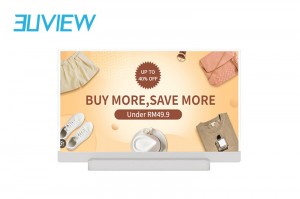
Qhov zoo tshaj plaws ntawm thev naus laus zis thiab kev zoo nkauj OLED 30-nti OLED screen
Qhia txog lub TV OLED 30-nti uas tshiab thiab zoo nkauj tshaj plaws - qhov no yog lub TV zoo tshaj plaws thiab zoo nkauj heev. Nrog nws cov qauv tsim zoo nkauj thiab cov yam ntxwv tshwj xeeb, lub TV tshiab no coj koj txoj kev saib mus rau qib tshiab.
Lub plawv ntawm cov thev naus laus zis zoo kawg no yog lub vaj huam sib luag Transparent OLED. Nrog nws cov pixels uas tawm tau nws tus kheej, txhua lub pixel tuaj yeem tawm lub teeb ntawm nws tus kheej, ua rau cov duab ci ntsa iab thiab zoo li tiag tiag. Pom cov xim tiag tiag thiab cov ntsiab lus ntse zoo li tsis tau muaj dua li, vim tias qhov screen no ua tiav qhov sib piv sib piv zoo kawg thiab lub kaum sab xis dav. -

Kev Tso Duab Ntxuam 3D Uas Siv Tau Zoo Kawg Nkaus: Kev Hloov Pauv Kev Tshaj Tawm nrog Cov Duab Zoo Nkauj
Qhia txog peb cov kiv cua 3D hologram tshiab, uas yog ib qho kev daws teeb meem pheej yig rau kev tshaj tawm cov ntsiab lus tshaj tawm kom zoo. Yooj yim rau kev teeb tsa ntawm ntau yam qauv, nws muab kev ua haujlwm yooj yim thiab cov teebmeem pom zoo nkauj. Nrog kev tswj hwm lub xov tooj ntawm tes ntawm WiFi, txaus siab rau cov zaub holographic zoo nkauj hauv huab cua yooj yim.
-
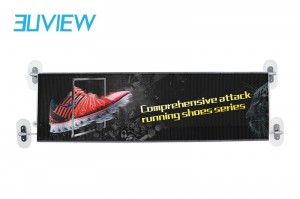
Yooj yim rau nruab siab txhais zaub LED pob tshab npo paste qauv
Lub Qhov Rai Tom Qab Transparent LED Zaub yog ib qho kev nthuav dav ntawm cov xov xwm tshaj tawm LED, siv rau kev tshaj tawm cov ntaub ntawv sab nraum zoov, cov duab tshaj tawm, cov xwm txheej tshaj tawm, cov xov xwm xov xwm. Piv nrog cov zaub LED ib txwm muaj, lub tsheb LED screen muaj cov kev xav tau siab dua rau kev ruaj khov, tiv thaiv kev cuam tshuam, thiab tiv thaiv kev co. Nws yog ib txoj hauv kev yeej-yeej los tsim cov txiaj ntsig tshiab rau lub tuam txhab tsheb e-hailing thiab lub tuam txhab taxi, kuj pab cov lag luam qhia lawv cov npe thiab cov khoom txhua lub sijhawm thiab txhua qhov chaw.


